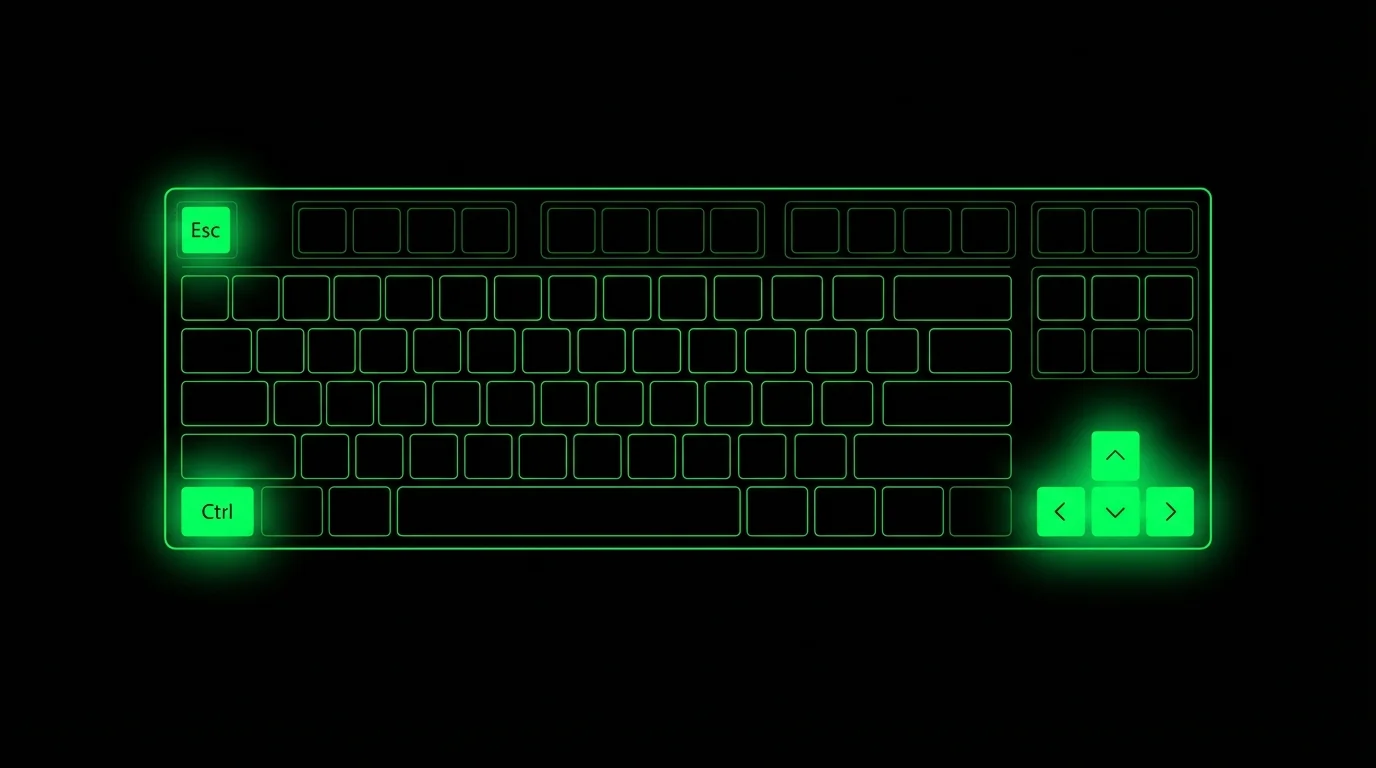
Mastering Moshi's Terminal Keyboard
The complete guide to Moshi's custom keyboard — built for terminal power users, not shrunken from desktops
TL;DR: Moshi's keyboard gives you dedicated Ctrl, Alt, Esc, Tab, arrow keys, custom shortcuts, and a D-pad. Long-press Ctrl for shortcut panels that adapt to your host — tmux, Zellij, or Herdr, plus Claude Code, Codex, and Cursor commands, and common Ctrl combos. Double-tap the keyboard button for Enter, or use chat mode when you want to review a dictated prompt before sending it.
The Problem with Mobile Keyboards
Standard iOS keyboards weren't built for terminals. Need to send Ctrl+C? Good luck. Want to navigate with arrow keys? Hope you enjoy hunting through the emoji picker.
Moshi's keyboard is different. Every key you actually need is one tap away. If you're new to Moshi, check out the complete setup guide first.
┌──────────────────────────────────────────────────────────────┐
│ Ctrl  Alt │ Esc  Tab │ ↑  ↓  →  ← │ |  /  \  ~  -  _ │  ...  │
└──────────────────────────────────────────────────────────────┘
The Toolbar
The keyboard toolbar lives at the bottom of your screen. It's always visible — even when the iOS keyboard is hidden.
Modifier Keys: Ctrl and Alt
Single tap: Activate the modifier for the next key you press. After you type, it automatically resets.
Double tap (within 400ms): Lock the modifier. A small bar appears under the key. It stays active until you tap it again.
This means you can:
- Tap Ctrl, then type
c→ sendsCtrl+C - Double-tap Ctrl to lock, then type
c,d,z→ sendsCtrl+C,Ctrl+D,Ctrl+Z
Essential Keys
| Key | What it sends |
|---|---|
Esc | Escape (0x1B) — exit vim modes, cancel operations |
Tab | Tab (0x09) — autocomplete in shells and editors |
↑ ↓ → ← | Arrow keys — command history, cursor movement |
Prefer glyphs to labels? Settings → Toolbar can show Ctrl, Esc, Tab, and Opt as icons instead of text.
Special Characters
These characters are buried in iOS's secondary keyboards. Moshi puts them front and center:
| Key | Use case |
|---|---|
| | Pipes — cat file | grep pattern |
/ | Paths — /usr/local/bin |
\ | Escape characters, Windows paths |
~ | Home directory — cd ~ |
- | Flags — ls -la |
_ | Snake_case identifiers |
Navigation Keys
Scroll right on the toolbar to find:
| Key | What it does |
|---|---|
Home | Jump to start of line |
End | Jump to end of line |
PgUp | Scroll up in tmux, less, vim |
PgDn | Scroll down in tmux, less, vim |
The Shortcuts Panel
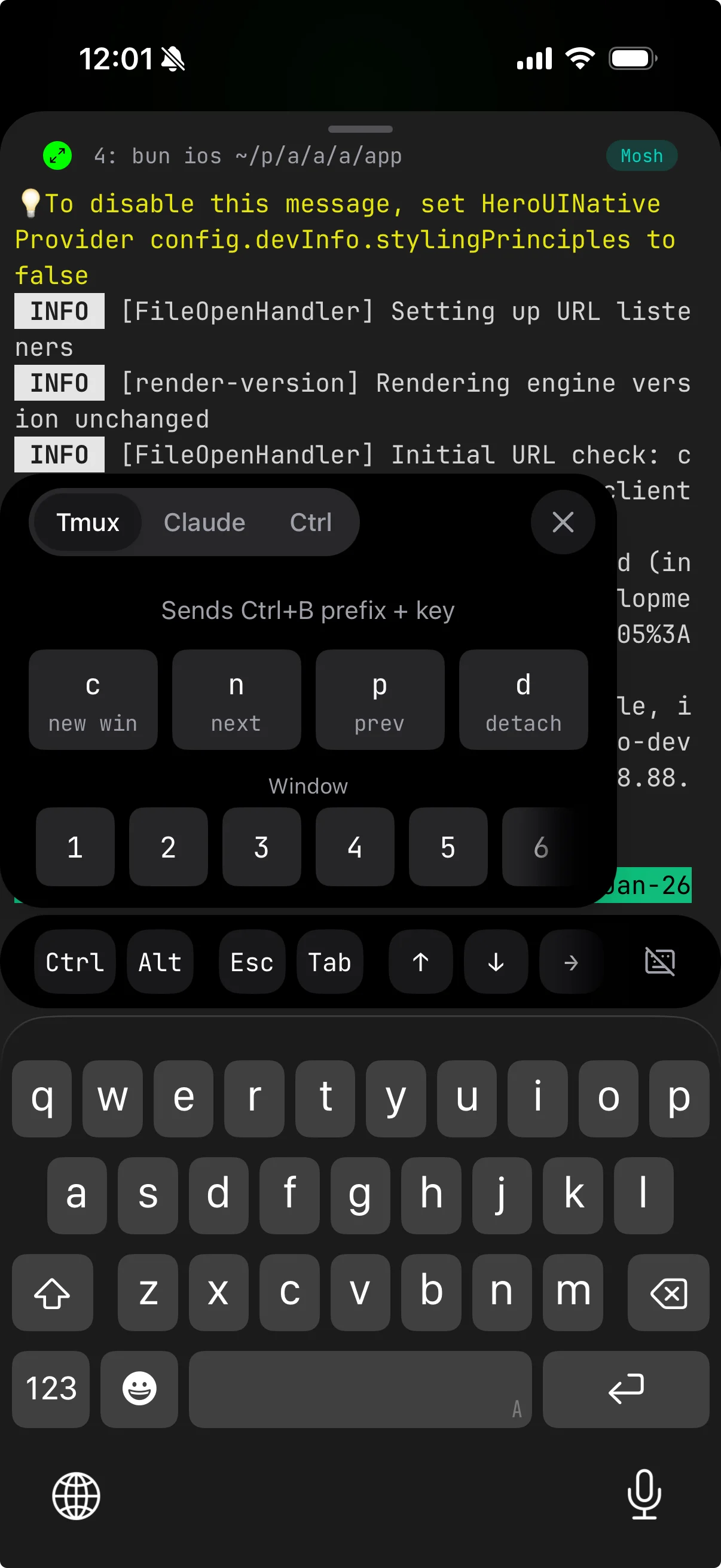
Long-press the Ctrl button to open the shortcuts panel. Its tabs adapt to what's running on the host: you always get Ctrl combos, and Moshi adds a multiplexer tab (tmux, Zellij, or Herdr) and agent tabs (Claude Code, Codex, Cursor) as it detects them on connect. Active panels can show more than eight shortcuts, and you can long-press any button to edit or remove it.
Tmux Tab
Sends Ctrl+B (the tmux prefix) followed by the key.
| Button | Key | Action |
|---|---|---|
c | Ctrl+B c | Create new window |
n | Ctrl+B n | Next window |
p | Ctrl+B p | Previous window |
d | Ctrl+B d | Detach from session |
1-9, 0 | Ctrl+B [num] | Switch to window by number |
No need to remember Ctrl+B — just long-press Ctrl and tap the shortcut. For tmux configuration tips, see Using Your Mac as a Remote Agent.
On Zellij or Herdr hosts, the same tab shows that multiplexer's shortcuts instead — both add a numbered tab quick-access row (Herdr keeps its workspace navigation on top). Each multiplexer's prefix is configurable (including an Opt/Alt chord) under Settings → Shortcuts, so the panel and swipe gestures keep sending the right bytes even if you've remapped it. See Multiplexers.
Claude Tab
One-tap commands for Claude Code:
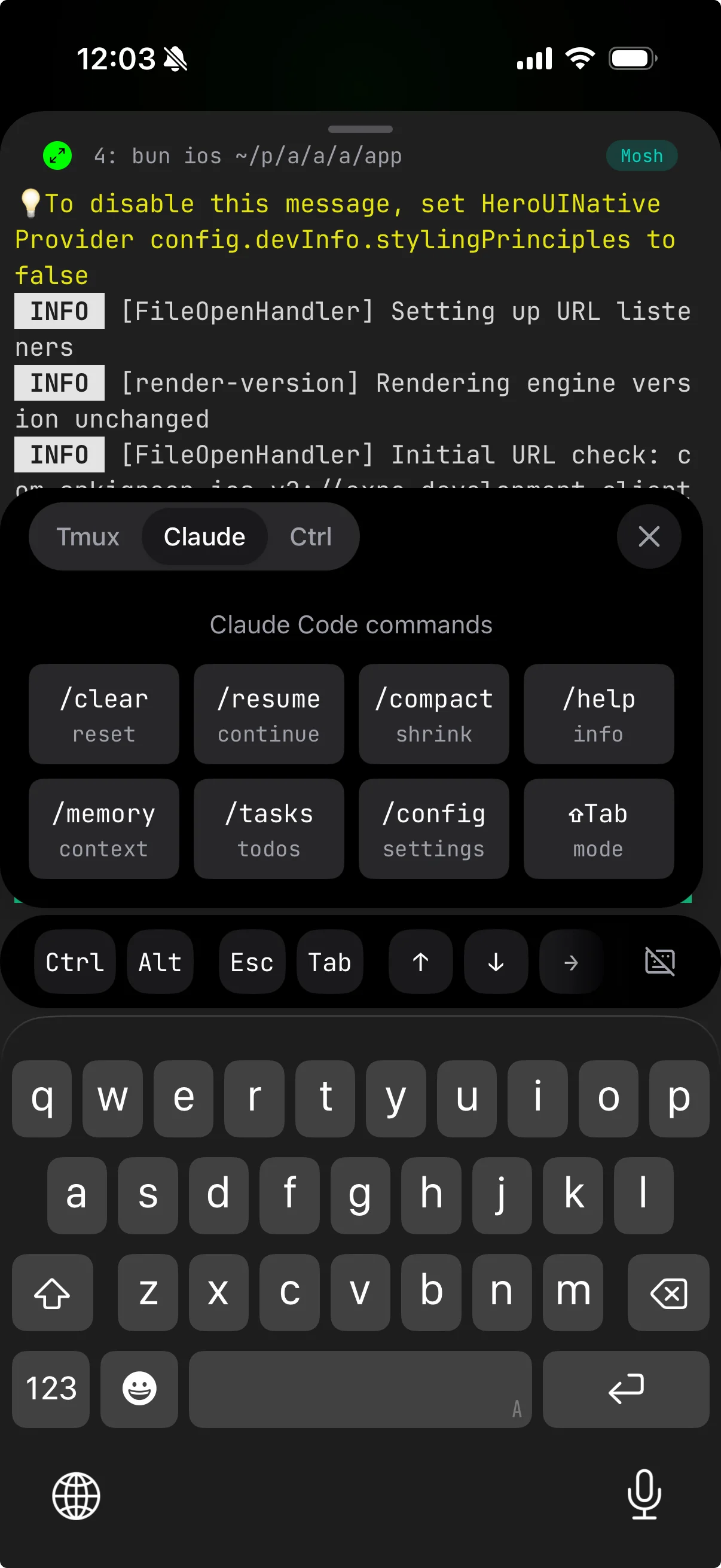
| Button | Command |
|---|---|
/clear | Reset conversation |
/resume | Continue previous session |
/compact | Shrink context |
/help | Show help |
/memory | View context |
/tasks | Show todos |
/config | Open settings |
⇧Tab | Cycle permission modes |
These send the full command followed by Enter — no typing required. Moshi ships matching Codex and Cursor CLI panels too, so the agent tab follows whichever agent you're driving. For tips on organizing your Claude Code sessions, see My Daily Moshi Workflow.
Ctrl Tab
Common Ctrl+ combinations with hints:
| Button | Sends | Action |
|---|---|---|
C | Ctrl+C | Stop/interrupt |
D | Ctrl+D | EOF/exit |
Z | Ctrl+Z | Suspend process |
L | Ctrl+L | Clear screen |
A | Ctrl+A | Jump to start of line |
E | Ctrl+E | Jump to end of line |
R | Ctrl+R | Reverse search history |
W | Ctrl+W | Delete word backward |
Custom Shortcuts and Gestures
Moshi's shortcut builder is also used by gestures and D-pad slots. That means any key sequence you can type — Ctrl+R, Esc :wq, a tmux prefix chord, or a project-specific prompt fragment — can become a tap, swipe, long-press, or D-pad action.
Need different modifiers on different steps (tmux prefix then Shift+T) or a function-key prefix (F12 then h)? Open the builder and choose Advanced binding… — write chords like C-b, S-t or F12, h in a small text format. See Advanced bindings for the full grammar.
See Gestures and Keyboard and shortcuts for the current settings surface.
The Keyboard Toggle Button
The button on the right side of the toolbar controls the iOS keyboard.
Single tap: Show or hide the iOS keyboard.
Double tap: Send Enter key. Faster than reaching for the iOS keyboard's return button.
Long press (if enabled in settings): Start voice dictation.
Voice Dictation
When dictation is enabled, long-press the keyboard button to start recording. Moshi supports on-device Parakeet (the engine we recommend for English and many European languages), Apple's on-device engine, local Whisper, and hosted cloud transcription. Choose the engine in Settings -> Speech based on language, privacy, accuracy, quota, and whether you need offline use.
- Long press keyboard button → recording starts
- Speak your command
- Release or tap pause → transcription begins
- Edit if needed, then tap send
Perfect for quick approvals: "yes" → Enter. Or longer commands when you're away from a desk.
Chat Mode
If your input is mostly natural-language agent prompts, turn chat mode on. Dictation opens a composer above the terminal, so you can review text, fix a typo, paste from the clipboard, or attach an image before sending one clean message to Claude Code, Codex, OpenCode, Cursor, Kimi, or Qwen.
See Voice and dictation and Image paste.
Tips and Tricks
Modifier + Arrow Keys
Combine modifiers with arrow keys for powerful navigation:
Alt + ←/Alt + →: Jump by word in bash/zshCtrl + ←/Ctrl + →: Jump by word in some editors
Quick Interrupt
The most common terminal operation: stopping a runaway process.
Instead of: Tap Ctrl → Type C
Try: Long-press Ctrl → Tap C in the Ctrl panel
Both work. The panel is faster if your finger is already on Ctrl.
Switching Windows and Tabs
Scrollable number row in the tmux panel (and Zellij's tab row). Tap 3 to jump to window 3 — no prefix key required, Moshi handles it. You can also swipe left or right on the terminal to move between tmux windows, Zellij tabs, or Herdr tabs without opening a panel at all. Configure swipe under Gestures.
Locked Modifiers for Vim
Editing in vim? Lock Ctrl with a double-tap, then navigate freely:
Ctrl+F: Page downCtrl+B: Page upCtrl+U: Half page upCtrl+D: Half page down
Unlock when you're done.
Comparison: Moshi vs. Other iOS Terminals
For a deeper comparison, see Best iOS Terminal App for AI Coding Agents.
| Feature | Moshi | Blink | Termius | Prompt |
|---|---|---|---|---|
| Dedicated Ctrl key | Yes | Yes | No | Yes |
| Modifier locking | Yes | No | No | No |
| Multiplexer panels (tmux/Zellij/Herdr) | Yes | No | No | No |
| Agent command panels (Claude/Codex/Cursor) | Yes | No | No | No |
| Custom gesture shortcuts | Yes | No | No | No |
| Voice input | Yes | No | No | No |
| Image paste to agents | Yes | No | No | No |
| Arrow keys always visible | Yes | Partial | No | Partial |
Quick Reference
Keyboard Toolbar (left to right)
[Ctrl] [Alt] │ [Esc] [Tab] │ [↑] [↓] [→] [←] │ [|] [/] [\] [~] [-] [_] │ [Home] [End] [PgUp] [PgDn]
Shortcuts Panel (long-press Ctrl)
- Multiplexer (tmux/Zellij/Herdr): c, n, p, d, 1-9, 0
- Agent (Claude/Codex/Cursor): /clear, /resume, /compact, /help, /memory, /tasks, /config, ⇧Tab
- Ctrl: C, D, Z, L, A, E, R, W
Keyboard Button (right side)
- Tap: Toggle iOS keyboard
- Double tap: Enter
- Long press: Voice dictation (if enabled)
Resources
- Moshi — Mobile Terminal for Developers
- Complete Setup Guide: Claude Code on iPhone — mosh, tmux, Tailscale, and push notifications
- My Daily Moshi Workflow — how to organize tmux windows for AI agents
- Using Your Mac as a Remote Agent — always-on server setup
- Gestures — bind taps, swipes, pinches, and D-pad slots
- Multiplexers — tmux, Zellij, and Herdr panels and prefixes
- Voice and dictation — speech engines, chat mode, and transcription history
- Best iOS Terminal App Comparison — Moshi vs Blink vs Termius
- Moshi vs Termius — the focused 1:1 comparison
- tmux Cheat Sheet
- Claude Code Documentation