Best Android Terminal App for AI Coding Agents (2026)
Comparing Termux, JuiceSSH, ConnectBot, Termius, and Moshi for remote development with Claude Code and other coding agents
TL;DR: If the job is driving AI coding agents on a machine you already own, use Moshi on Android — native Mosh, an Agents feed fed by moshi-hook, push when Claude needs you, multiplexer pickers for tmux/Zellij/Herdr, image paste, and in-app diffs. If the job is a real Linux environment on the phone itself, Termux still wins and is not the same category. ConnectBot remains the free classic SSH client (JuiceSSH was delisted from Google Play in late 2025); Termius is the polished cross-platform SSH manager. This piece is written by the Moshi team — we disclose that up front and still try to be honest about where we lose.
Android developers who run Claude Code, Codex, OpenCode, or similar CLIs hit the same problem as iPhone users: the agent does not run “in the cloud app.” It runs on your Mac, Linux box, VPS, or WSL host. Your phone is the control surface. The wrong terminal means reconnect loops, missed permission prompts, and thumb-typing yes into a frozen SSH session on cellular.
This guide compares the Android options people actually use, with an agent-workflow lens — not a pure “best SSH client” shootout.
What coding agents need from an Android terminal
Before the table, the criteria that matter for Claude Code–style work:
1. Connection durability
Agents run long turns. Android suspends apps aggressively and hops Wi‑Fi ↔ cellular. SSH alone freezes when the radio changes; Mosh (and similar resilient transports) is what keeps an interactive session usable on a phone. See Mosh vs SSH.
2. Something that outlives the app
Even with Mosh, if claude is tied to the shell of a disposable connection, a hard kill can still hurt. tmux, Zellij, or Herdr on the host keep the agent process alive. A good mobile client either surfaces those multiplexers or at least does not fight them.
3. Push when the agent blocks
Claude Code will ask permission. If your terminal only shows scrollback when you open it, you are polling. Agent-aware push (or at least reliable webhooks) is the difference between “babysitting” and “get tapped when needed.”
4. Input that is not only a software keyboard
Dictation, shortcut panels, and paste of screenshots matter more for agents than for htop.
5. Honesty about local vs remote
Termux is a local environment. SSH clients (and Moshi) are remote. Mixing those categories in one ranking without saying so is how roundups mislead people.
Android terminal comparison (agent lens)
| Feature | Moshi | Termux | Termius | JuiceSSH (delisted) | ConnectBot |
|---|---|---|---|---|---|
| Primary model | Remote terminal + agent cockpit | Local Linux-like env on device | Cross-platform SSH manager | SSH client | Open-source SSH client |
| SSH | Yes | Via packages / local | Yes | Yes | Yes |
| Mosh | Native (Pro) | Possible via packages, not the product focus | Yes (client support) | Not the product focus | No (SSH-oriented) |
| Runs Claude Code on the phone | No — agent stays on your host | Possible if you install tooling locally (limited, different threat model) | No | No | No |
| Agent inbox / hooks | Yes (moshi-hook) | No | No | No | No |
| Push when agent needs you | Yes (hook events + webhooks) | No | No agent concept | No agent concept | No agent concept |
| tmux / Herdr pickers | Yes (Pro multiplexer integration) | Local only | Run tmux manually | Manual | Manual |
| Image paste into agent prompt | Yes (Pro) | Local files only | No agent paste path | No | No |
| In-app git diff / localhost preview | Yes (Pro, via moshi-hook) | Local tools | No agent review surface | No | No |
| Cross-device host sync | iCloud / license sharing (Moshi) | N/A | Cloud sync (Pro) | App-specific | Limited |
| Desktop apps | No (mobile companion) | No | Yes (macOS/Windows/Linux/web) | No | No |
| Open source | No | Yes | No | No | Yes |
| Price shape | Free tier + Pro (Play / web) | Free (F-Droid / Play ecosystem nuances) | Free + Pro | Free + IAP history | Free |
Moshi rows above reflect documented product behavior on iOS and Android (install requirements: Android 10+; introduction; hooks; subscription). Competitor cells describe category role, not a lab benchmark.
Moshi (Android): built for the remote agent loop
Moshi is a mobile terminal for AI coding agents. Mental model from the docs: Moshi is the control surface, not the compute. Your repo, git credentials, Claude subscription, and the claude process stay on the host. The phone opens a real shell over SSH, Mosh, or ET, and — with moshi-hook — turns approvals, questions, and finished turns into inbox cards and push.
What the agent loop actually includes
From Moshi’s own docs and guides:
- Native Mosh (Pro) so sessions survive sleep and network changes; experimental ET when UDP is blocked (connections, subscription).
moshi-hookon the host for Claude Code, Codex, OpenCode, Cursor, Kimi, Qwen, and others — inbox events, notifications, Chat View for some agents, plus the local gateway that powers diff viewer and browser preview (hooks).- Agents board — Needs you / Working / Done, usage rings for rate-limit windows (agents & usages).
- Multiplexer integration — tmux, Zellij, and Herdr detection, session picker, shortcut panels (Pro).
- Voice dictation and image paste for prompts you will not happily thumb-type (voice, image paste).
- Unified push across devices that join the same Moshi license (e.g. phone + tablet, or iPhone + Android) on Pro (licensing).
What Android does not get (be honest)
Some surfaces in Moshi’s docs are iOS-specific: Live Activities, Dynamic Island, and the Apple Watch companion. On Android you still get the terminal, Agents feed, push, and host-side hooks — but do not expect watchOS or Dynamic Island. That is a real platform difference, not a marketing footnote.
Free vs Pro (relevant to agents)
Documented free tier includes SSH, push for agent events (rate-limited), biometric key protection, usage tracking, and a limited inbox-action trial. Mosh, multiplexer pairing, image paste, diff viewer, and browser preview are Pro (Free vs Pro). For serious remote agent work on cellular, Mosh is usually the upgrade that pays for itself.
When to pick Moshi on Android
- Claude Code / Codex / friends run on your machine, and you want to steer them from Pixel/Galaxy/etc.
- You care about approvals without staring at the terminal.
- You already (or will) use tmux or Herdr for durable sessions.
- You want the same product family as iOS if you dual-wield devices.
Termux: where it genuinely wins
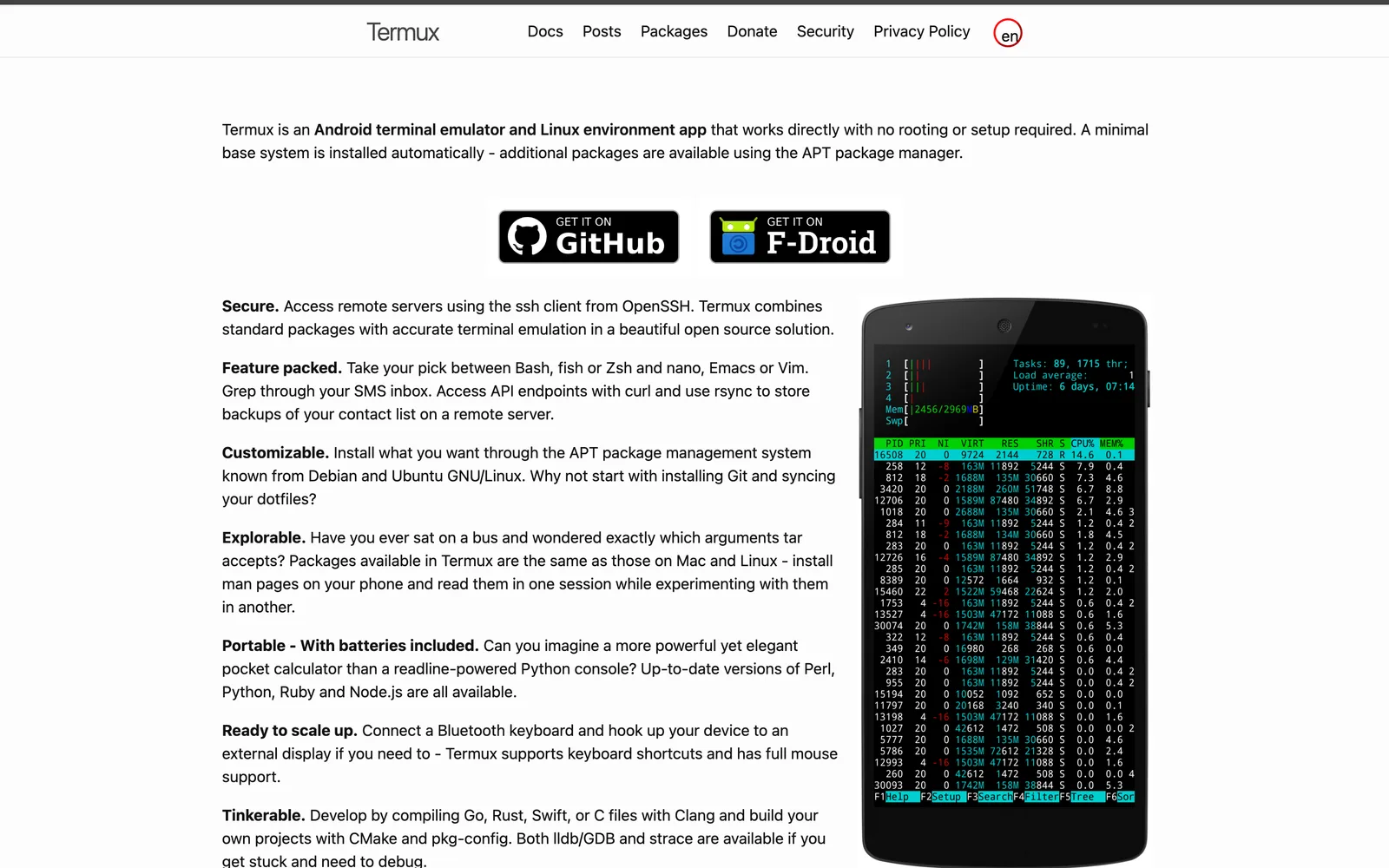
Termux is not “SSH for Android.” It is a local terminal emulator and Linux environment with a large package set. That is a different job.
Strengths
- Local packages: compilers, Python, SSH client, editors, scripts — on the device.
- Automation and tinkering without a remote host.
- Open source and a huge community of termux-side how-tos.
Limits for “Claude Code on Android” as people mean it
People searching claude code android often want to drive an agent against a real repo with real credentials. Claude Code is designed for a development machine, not a phone-sized userspace. You can experiment with local tooling in Termux, but that is not the same architecture as:
host runs claude → phone is a durable remote terminal + approval surface.
Termux also has no agent inbox, no Moshi-style hooks, and no productized “approve Claude from a notification” loop. If your goal is remote agent babysitting, Termux is complementary (e.g. a local Swiss Army knife) rather than a substitute for Moshi/Termius-class remote clients.
When to pick Termux
- You want packages on the phone.
- You are learning Linux tooling offline or on the go without a server.
- You are fine running SSH from Termux as a generic client (functional, but not agent-aware).
Termius (Android): the cross-platform SSH manager
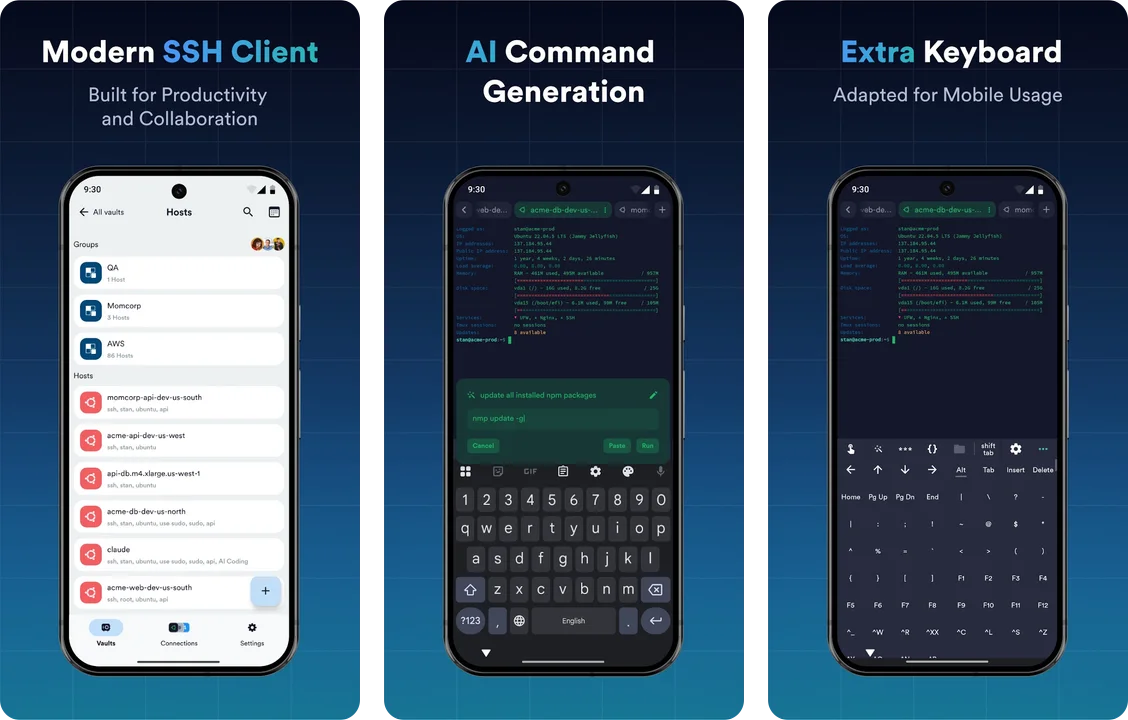
Termius is the mature “hosts everywhere” client: Android, iOS, desktop, sync, SFTP, snippets, team features. Moshi’s own compare page treats it as the polished generalist.
Strengths
- Host list and sync across phone and desktop.
- SFTP GUI and broader SSH-power-user features (port forwarding, etc.).
- Mosh support exists on the Termius side of Moshi’s comparison tables — durability is no longer “Termius is SSH-only forever.”
- Familiar if your team already lives in Termius vaults.
Limits for agents
Termius can run claude because it is a terminal. It does not treat agents as first-class: no approval inbox, no hook-driven push when Claude blocks, no in-app git diff/browser preview loop of the kind moshi-hook provides. Battery/session personality also differs from Mosh-native designs that idle without holding a background socket the same way (see the Termius comparison for Moshi’s framing).
When to pick Termius
- You administer many servers by hand and want one client on Android + laptop.
- SFTP and team host sharing matter more than agent notifications.
- Agents are occasional; SSH is daily.
JuiceSSH: delisted, time to move on
JuiceSSH was the default “SSH on Android” recommendation for a decade — but its last release shipped in February 2021, and the app was unpublished from Google Play in December 2025. Existing installs keep working, but there is no store listing, no updates, and no path for new users.
If you're still on it
- Nothing breaks today, but an unmaintained SSH client is a bad long-term bet for anything security-sensitive.
- For plain SSH, ConnectBot (open source, still maintained) is the natural free replacement; Termius if you want the managed cross-platform experience.
- For AI-agent work, none of JuiceSSH's strengths transferred anyway — no Mosh, no agent loop, no push. That's the Moshi column in the table above.
ConnectBot: open-source SSH baseline
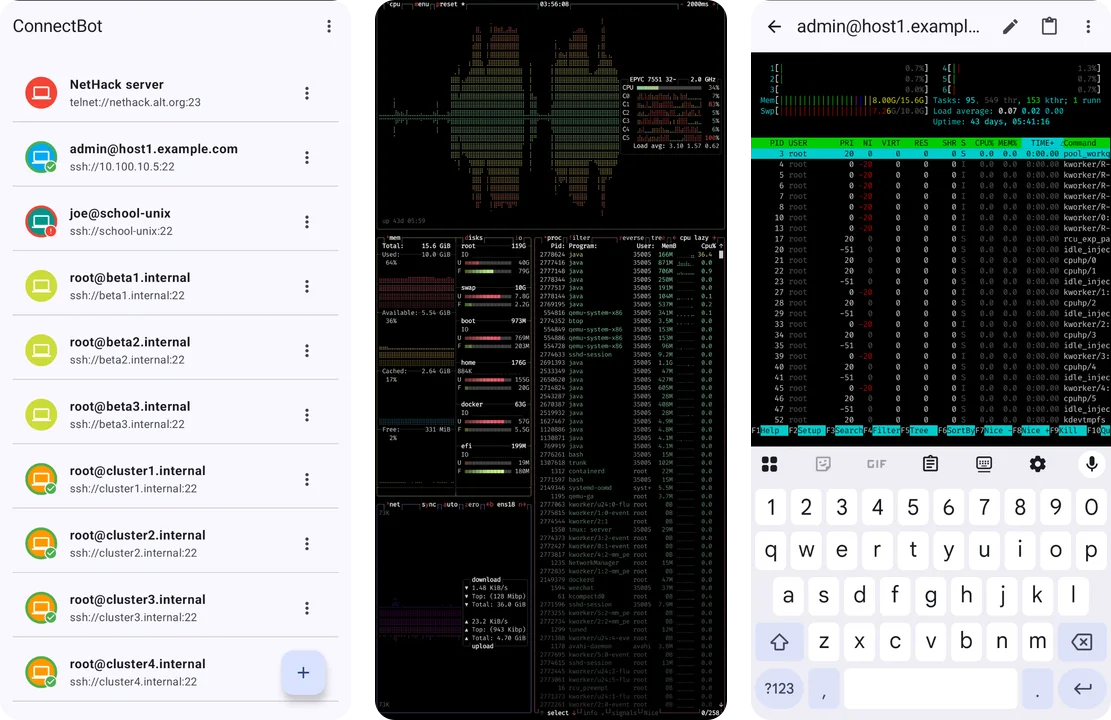
ConnectBot is the long-running open-source SSH client on Android.
Strengths
- Open source, auditable.
- Free, no agent lock-in.
- Enough for basic remote shells.
Limits for agents
SSH-centric, minimal product surface for modern agent workflows. You will not get Moshi’s hooks, Termius’s sync ecosystem, or Termux’s local package universe.
When to pick ConnectBot
- You want FOSS SSH and will handle durability (tmux + network) yourself.
- Feature surface area is a virtue, not a gap, for your use case.
Architecture check: what “Claude Code on Android” should mean
The setup that matches how Claude Code actually works:
- Host (Mac / Linux / VPS / WSL): install Claude Code,
mosh/tmuxas needed, and optionallymoshi-hook. - Network: LAN, public SSH, or Tailscale — no public IP required if the phone can reach the host.
- Phone: Moshi (or another SSH client) opens a real session; agent process stays host-side.
Moshi documents this explicitly: it does not host your shell, repos, or agent process (introduction). For install steps, see Install and prepare a host. For the end-to-end Claude loop, see Moshi with Claude Code.
That is the opposite of “Claude runs in an Android APK sandbox.” If a product promises that without a host, you are in a different category (hosted agent UIs, remote-control chat surfaces, etc.) — compare those carefully to a real terminal.
Decision guide
Choose Moshi if…
- Your daily mobile job is steering coding agents on a machine you control.
- You want push + inbox for approvals, not just a PTY.
- You want Mosh + tmux/Herdr integration designed around long agent runs.
- You are okay with a commercial app (free tier available; Pro for the full agent stack).
Choose Termux if…
- You need packages and a local environment on the device.
- Remote agent babysitting is secondary or done with a different app.
Choose Termius if…
- You need desktop + mobile SSH with synced hosts and strong file/SFTP workflows.
- Agents are not the product; servers are.
Choose ConnectBot if…
- You want a simple or FOSS SSH client and will layer tmux/notifications yourself.
Plenty of people run Termux + Moshi: local tools on the phone, agents on the Mac mini. That combination is coherent. Termius + Moshi is also coherent if Termius owns fleet admin and Moshi owns agent-on-call.
FAQ
Can I run Claude Code on Android natively?
Claude Code is meant to run on a development host with your repo and toolchain. On Android, the practical path is: run Claude Code on Mac/Linux/VPS/WSL, then connect with a terminal app. Moshi is built for that remote loop; Termux is a local environment and is a different shape of tool.
Is Termux or Moshi better?
For local packages and on-device Linux-style workflows, Termux. For remote AI coding agents with approvals and durable sessions, Moshi. They solve different problems; many people use both.
Does Moshi on Android support Mosh?
Yes. Mosh is part of Moshi’s Pro transport set (alongside experimental ET for restrictive networks). Free tier still includes full SSH. See Free vs Pro and Connections.
How do agent approvals reach Android?
Install moshi-hook on the host and enable push in Moshi. Supported agents (including Claude Code) send structured events to the Agents feed and notifications. Plain webhooks also work for scripts and unsupported CLIs (notifications).
Does Termius notify me when Claude needs permission?
Not in an agent-aware way. Termius is a strong SSH client; it does not provide Moshi’s hook-driven inbox and approval actions. You would watch the terminal scrollback yourself.
What about Live Activities and Apple Watch?
Those are iOS companions documented for Moshi. Android users get the terminal, Agents feed, and push notifications instead. Dual-device setups can still share a Moshi license for unified push across iPhone and Android on Pro (licensing).
Is Mosh required?
For mobile agent work, strongly recommended. SSH over cellular and app backgrounding is painful; Mosh is designed for intermittent connectivity. Pair with tmux so the agent process outlives the client. Background: Mosh vs SSH.
Conclusion
“Best Android terminal” only makes sense once you name the job.
- Local Linux-on-phone → Termux.
- Cross-platform SSH fleet → Termius.
- Simple / FOSS SSH → ConnectBot (JuiceSSH is delisted).
- AI coding agents on your own host → Moshi.
If you came here for claude code android, start with the host-side install, then put a client on the phone that treats agents as more than text in a PTY. Install guide, hooks, and the Claude Code guide are the straight path.
Disclosure: this article is published on getmoshi.app by the Moshi team. Feature claims about Moshi are taken from current product docs; competitor descriptions are category-level and may change — verify on each vendor’s site before you buy.