Termius vs Moshi
Looking for a Termius alternative to run Claude Code or Codex from your phone? Termius is the polished, do-everything SSH client. Moshi is the mobile terminal built around AI coding agents — lock-screen approvals, voice prompts, drag-in screenshots, and diff review. Here's the honest breakdown.
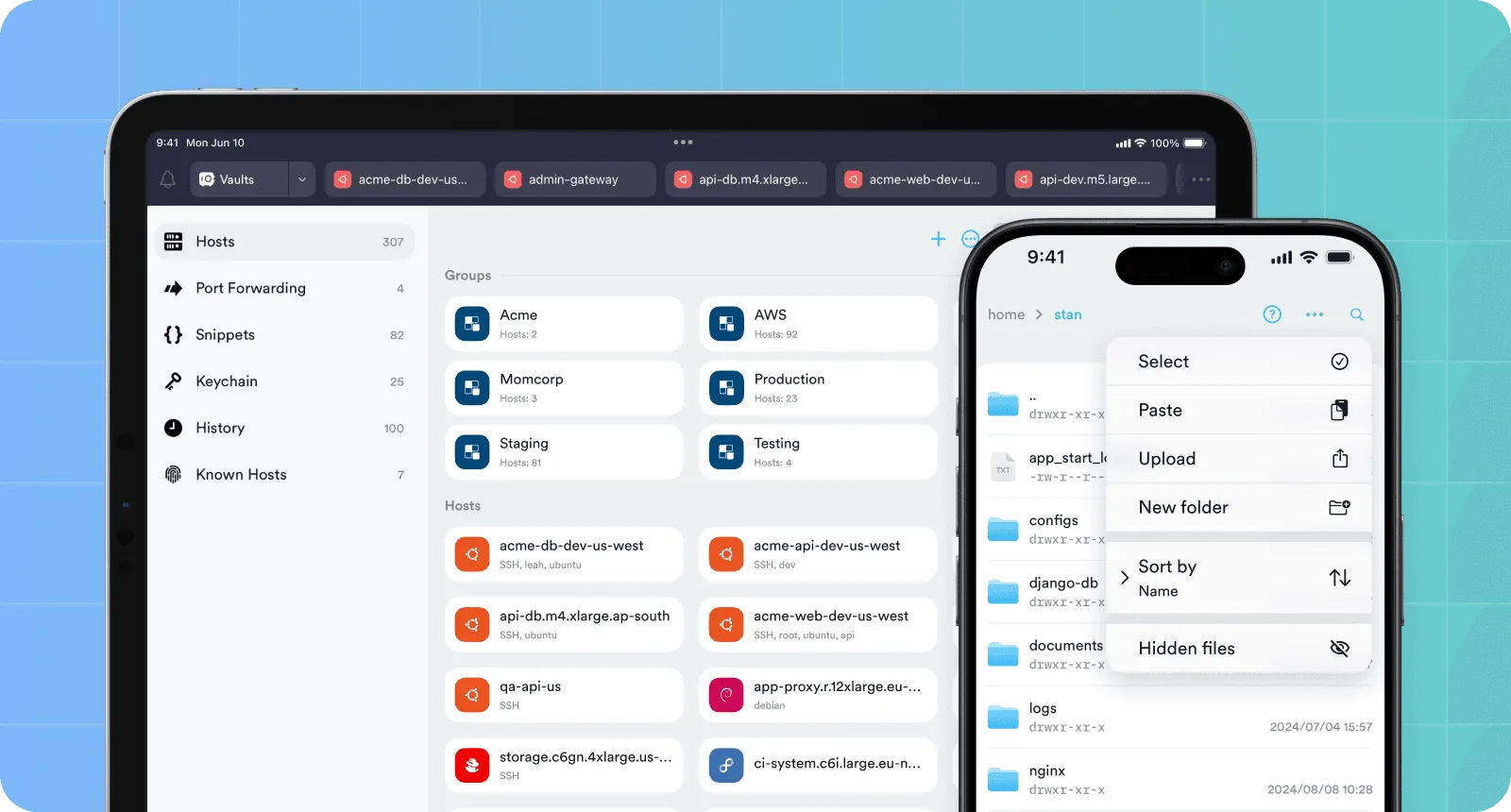
If you already use Termius, you know it as the SSH client that does everything, everywhere — iPhone, Android, Mac, Windows, Linux, even the browser. It's mature, it syncs your hosts across devices, and it has a real SFTP file manager and port forwarding built in.
Moshi is a narrower tool with a sharper point. It exists for one job: driving AI coding agents from your phone, while the agent runs on your own machine. That focus changes what the app is. The terminal is table stakes; the interesting part is everything wrapped around it — approvals that reach your lock screen, voice instead of a phone keyboard, screenshots you drag straight into a prompt, a diff viewer, and a connection layer tuned so an agent keeps working while your phone is in your pocket.
So the real question isn't "which is the better SSH client" — it's what do you do on your phone? If you administer servers by hand, Termius is hard to beat. If you babysit an agent, the gap runs the other way. This page lays out both, honestly.
Termius can run any of these — it's a terminal, so you can launch claude in it like any command. What it can't do is treat them as agents: there's no approval inbox, no notification when one needs you, no diff viewer for what they changed. That's the line this whole comparison sits on.
The short version
Moshi's terminal, SSH, voice, and Pro image/file paste work without moshi-hook. The optional helper adds the agent-aware inbox, usage, Chat View, approvals, and review surfaces; Chat View is experimental, Pro, and supports a smaller roster than the general inbox.
The pattern is consistent: the agent-workflow rows favour Moshi, and the general-purpose SSH-client rows favour Termius. Pick based on which list describes your day.
Built for agents, not just servers
Termius was designed in the era of "I need to SSH into a box and run commands." It's exceptional at that — host organization, SFTP, port forwarding, snippets, team vaults. The terminal is the product, and everything supports getting you to a shell on any machine, from any device.
Moshi starts from a different question: what does it take to run an autonomous agent from a phone and actually trust it? The shell is just the surface. The product is the loop around it — kick off a task, get pulled in only when the agent needs a decision, answer without unlocking your phone, and review what it changed. If you mostly babysit Claude Code rather than type commands by hand, that reframing is the whole story.
Approvals without watching the screen
This is the feature with no Termius equivalent, because Termius has no concept of an agent. With Moshi's host daemon installed, an agent's permission prompts and turn events leave the terminal and come to you:
- Inbox. Every approval request, question, and finished turn lands as a card. Tap Allow, Deny, or open the session to read the full context first.
- Live Activity & Dynamic Island. The active turn shows on the lock screen — watch a long run progress without unlocking.
- Push & Apple Watch. Get notified the moment an agent needs you or finishes, and approve straight from your wrist.
In Termius, an agent waiting on y/n is just text sitting in a buffer. You'd have to open the app, find the session, and read the scrollback to even know it's blocked. In Moshi, it taps you on the shoulder — and a tap on your phone unblocks the process on the host instantly.
A dashboard for your agents
Termius shows you a terminal and a list of hosts. Moshi shows you the state of every agent you're running — the things that normally stay buried in scrollback, or have no home on a phone at all:
- Usage rings. Moshi reads each agent's rate-limit windows off the host and draws them as rings: Claude Code's 5-hour and 7-day windows, Codex's rolling windows, OpenCode's provider limits. Before you kick off another long turn, you can see whether you have headroom — in the app or from an Apple Watch complication.
- Context "stamina." Each active agent carries a ring showing how much of its model context window is left. Drop below ~15% and it's flagged, so you can ask it to summarize before it starts forgetting what it was doing.
- Recent directories. Connect to a host with no live session and Moshi offers one-tap entries for the directories where Claude or Codex recently ran, read from the agents' own transcripts — straight back into the repo, no path to type.
A general SSH client has none of this, because to a terminal it's all just characters streaming through a PTY. Termius sees a shell; Moshi sees sessions, limits, and context.
This is the cleanest line between the two: Termius is a superb pipe to a shell. Moshi reads the agent layer on top of that shell — limits, context budget, working directory — and turns it into a glanceable dashboard a terminal can't show you.
One inbox, many machines
A terminal is one connection at a time, but agent work usually isn't — Claude Code refactoring on your Mac, Codex running tests on a Linux box, a second agent in another repo. Moshi's inbox collapses all of it into one feed, grouped by host and by project, so the same agent on two machines stays cleanly separated. A finished turn floats up, a pending approval pins to the top, and stale items archive themselves after a few hours so the list stays "what's happening now." Moshi normalizes events from a long roster — Claude Code, Codex, OpenCode, Cursor, and more — into that single feed. In Termius, each of those is a separate session you'd open and read in turn; there's no aggregated view, because Termius has no concept of a turn. You can run several agents from Termius — you just can't see them at a glance.
Prompt by voice
A phone keyboard is the enemy of impulse-driven agent work. Termius gives you a solid terminal keyboard with an extra-keys row, and that's where it stops. Moshi lets you talk instead of type — dictate a prompt on-device by default: your pick of NVIDIA's Parakeet, Apple's SpeechAnalyzer (iOS 26+), or a local Whisper (large-v3-turbo and smaller), with a metered cloud engine only if you want it, so a dictated prompt never has to leave your phone. It runs in a chat mode that opens a composer you can edit (and attach a screenshot to) before sending, or a command mode that types straight into the shell — with a transcription history you can re-send.
"Write a migration that adds a nullable deleted_at to users, then show me the diff" — spoken while walking — is the single biggest unlock for working from a phone.
Paste a screenshot — or any file — into the agent
This is one of the clearest workflow differences. On a desktop you screenshot a bug and drag it into Claude Code. On a phone, a general file-transfer feature does not automatically hand that attachment to the running agent prompt. Moshi collapses it into one tap: pick a photo, screenshot, PDF, or log, and Moshi copies it to your host over SCP into ~/.moshi/uploads/, then hands the agent a local file path — behaving exactly like pressing Ctrl+V in Claude Code or Codex. You can crop or annotate the screenshot in-app first. The direct transfer is a Pro feature but does not require moshi-hook. See Image and file paste.
It works for images and arbitrary files — PDFs, logs, archives, configs — and because the transfer is SCP to your own machine, nothing routes through a third-party server.
Termius can transfer files through SFTP, while Moshi's flow is specifically designed to hand a selected image or file to the running agent prompt.
Review what the agent changed
When an agent edits ten files, reading raw git diff output in terminal scrollback on a phone is miserable. Moshi ships purpose-built review surfaces Termius doesn't:
- Diff viewer — a proper side-by-side (or stacked) read of the working tree, syntax-highlighted and tuned for a phone screen.
- A repository browser — the same diff app has a Browse tab that walks the file tree at the working tree or any past commit and opens files as syntax-highlighted source (TypeScript/JavaScript, Go, Swift, JSON, YAML, Markdown, shell, and more), so you can read around the changes, not just the changed lines.
- Browser preview — tap a detected localhost port and the host's dev server opens in Moshi's in-app browser, tunneled over your existing session. See the change, don't just read about it.
Fast, durable, and easy on the battery
Moshi's terminal is built on Ghostty — the same modern engine behind the acclaimed desktop terminal — rendered on the GPU with Metal. Scrolling through thousands of lines of agent output stays buttery smooth, and pushing that work to the GPU instead of pegging the CPU is gentler on your battery and keeps your phone cool. Most mobile terminals draw text on the CPU; over the long, chatty sessions agents produce, GPU rendering is the difference between smooth and stuttery — and between warm and cool.
Connection resilience compounds it. Both apps speak Mosh, so both survive IP changes and sleep better than plain SSH — but Moshi keeps no persistent background connection. When your phone sleeps or you switch networks, it lets go; when you come back, Mosh catches the session up. That's deliberate: it's why a backgrounded Moshi is light on battery, where Termius's always-on keep-alive is well-documented for draining battery and warming up phones on long-lived mobile sessions.
Pair Mosh with tmux on the host and an agent keeps running no matter what your phone does. Moshi's tmux picker, shortcut panels, and gestures make that durable workspace first-class; in Termius you'd run tmux as a plain command with no dedicated UI around it.
The keyboard, tuned for agents
Termius gives you a competent terminal keyboard with an extra-keys row. Moshi's on-screen keyboard is built around the specific rhythm of answering an agent one-handed. The D-pad has configurable corners — one defaults to Interrupt (clear the line, soft-cancel a runaway turn), another to a dedicated Backspace that exists because some agent TUIs swallow the normal one. A shortcut builder captures any sequence — Ctrl+R, a tmux prefix chord, Esc :wq, or a prompt fragment you send constantly — and binds it to a toolbar slot, a gesture, or a D-pad corner, with per-agent sets for Claude Code, Codex, Cursor, and OpenCode. When the agent prompts every few seconds, a double-tap to paste or a swipe to switch sessions beats hunting for a small target every time.
Multiplexers: a picker, and an agent-aware one
Keeping a long agent run alive across disconnects means pairing the session with a multiplexer. Both apps can — Termius runs tmux as a plain command — but Moshi builds UI on top of three of them. tmux gets a session picker and a moshi <dir> launcher that drops you into a project; Zellij gets the same picker plus a shortcut panel; and Herdr, an agent-aware multiplexer, gets the most — Moshi reads its per-pane blocked / working / done state, so tapping an agent event reattaches you to the exact pane that needs you. In Termius you'd tmux attach and hunt for the right window yourself.
Built like a phone app, not a terminal in a window
Termius is a cross-platform terminal that also runs on a phone. Moshi is a native iOS app that happens to contain a terminal, and the difference shows up in small, phone-shaped places:
- An app-switcher for sessions. Sessions appear as cards with live preview thumbnails; swipe between them, minimize one to the home view, and Moshi restores it — buffer intact — when you return.
- Biometric resume. Face ID gates your saved keys and, optionally, resuming the app; while that check is pending, the live previews stay blurred so your terminal contents aren't on screen for a shoulder-surfer.
- Whole-app theming. Pick one of nine themes and the entire UI flips — inbox cards, sheets, system bars — not just the terminal pane, with light themes that remap the 256-color ramp so
htopand Neovim status lines stay readable. - Getting connected. Bonjour discovery finds SSH servers on your LAN, and a QR "easy pair" flow provisions a saved connection from the host in one scan; tailnet hosts are just normal targets over Tailscale.
Where Termius wins
Moshi is mobile-first and agent-first, and that means it deliberately leaves things on the table. If these matter to you, Termius is the better tool — and it's genuinely excellent at them:
- A real SFTP file manager. Browse, upload, download, and edit any remote file in a GUI. Moshi has a git-aware file browser — the repo tree at any commit, with syntax-highlighted source — but it's read-oriented and project-scoped, not a general SFTP mount you can edit through. For whole-filesystem file management, Termius wins.
- Arbitrary port forwarding. Termius forwards any local/remote port; Moshi only tunnels detected localhost dev servers for its in-app preview.
- Desktop apps. Termius runs on macOS, Windows, and Linux with synced hosts. Moshi is iOS and Android only — it's a companion to your machine, not a desktop client.
- Teams and breadth. Snippets, shared team vaults, consolidated billing, and a long track record for classic server administration.
Pricing
Both have a free tier and a paid upgrade. The structures differ most on two things: Moshi is cheaper for an individual, and Moshi lets you buy it once instead of renting forever.
A few things worth knowing behind the numbers:
- Moshi undercuts Termius for individuals — Moshi Pro is $7.99/mo or $69.99/yr; Termius Pro is $19.99/mo, or $10/mo if you commit to a year ($120/yr).
- Only Moshi offers a one-time license. $199 buys Moshi outright, forever — Termius is subscription-only, so the meter never stops.
- Termius's free Starter tier is generous for classic SSH: it already includes SFTP and port forwarding. What it gates behind Pro is cloud sync across devices — so to get your hosts on both your phone and laptop, you're on the paid plan.
- Termius scales to teams with shared vaults at $20–30/user/mo. Moshi has no team tier — it's built for one developer and their machines, not fleet administration.
(Termius prices are from their pricing page and can change by region; Moshi's $7.99/$69.99/$199 are the standard rates, and founders/regional pricing may show you less.)
The verdict
Pick Moshi if…
- Your phone time is mostly driving Claude Code, Codex, or another agent
- You want approvals, questions, and "turn done" on your lock screen and watch
- You'd rather talk a prompt and drag in a screenshot than thumb-type
- You review diffs and preview the running app from the couch
- You'd rather pay $199 once than rent a terminal forever
Pick Termius if…
- You need a do-everything SSH client on desktop and mobile
- You lean on SFTP file management and arbitrary port forwarding
- You administer a fleet of servers by hand, not through an agent
- You want shared vaults and consolidated billing for a whole team
Plenty of people run both: Termius for heavy server administration and SFTP at the desk, Moshi for steering agents from anywhere — the inbox, usage rings, voice, image paste, and diff review. They overlap less than the spec sheet suggests. And if you're weighing the wider field, the iOS terminal roundup puts Moshi next to Blink Shell and Prompt too. For closer one-to-one matchups, see Blink vs Moshi (the other Mosh-native iOS terminal) and Secure ShellFish vs Moshi (the Files.app SFTP champion), plus the agent-client comparisons — Happy vs Moshi and Kittylitter vs Moshi.
Ready to try the agent workflow? Start with Moshi with Claude Code for the end-to-end loop, or grab the app and connect to your machine in a couple of minutes.