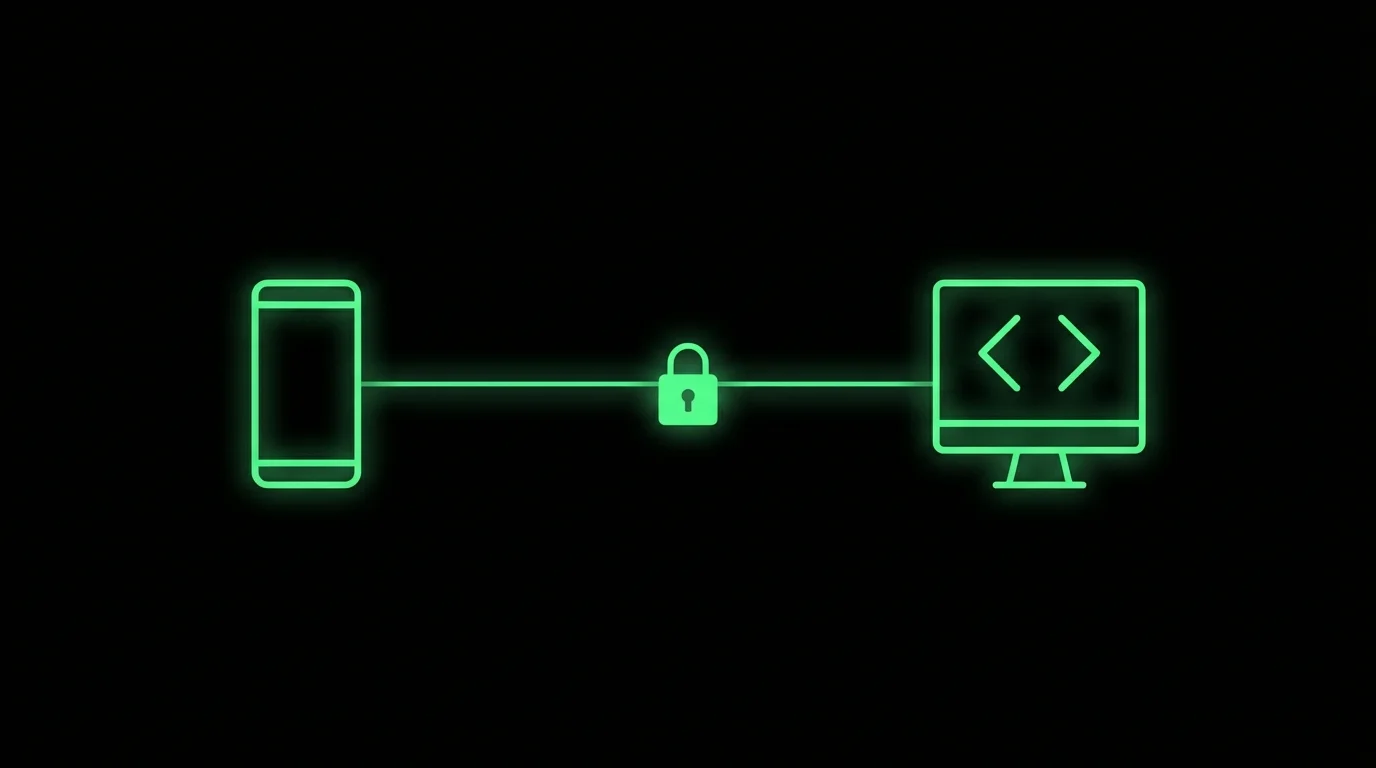
Your machine runs Claude Code. Your phone is the control surface — SSH/Mosh, a durable multiplexer, and hooks that turn permissions into taps.
TL;DR: Claude Code does not “install on iPhone.” You run it on a Mac, Linux box, VPS, or WSL host you control, keep the process inside tmux (or Herdr), connect with a Mosh-capable mobile terminal, and — for the full loop — install moshi-hook so approvals and turn events reach Moshi as push and inbox cards. Your code, git credentials, and Claude login stay on the host; Moshi is a window and a doorbell, not a sandbox. This guide is written by the Moshi team; we link official docs for every command.
The architecture (answer first)
┌─────────────────────┐         SSH / Mosh / ET          ┌──────────────────────┐
│  Phone (Moshi)      │ ◄──────────────────────────────► │  Your host           │
│  • real terminal    │                                  │  • claude process    │
│  • Agents inbox     │         moshi-hook events        │  • repo + tools      │
│  • push / approvals │ ◄─────────────────────────────── │  • tmux / Herdr      │
└─────────────────────┘                                  │  • mosh-server       │
                                                         └──────────────────────┘
Four layers, each optional until you want the next level of comfort:
| Layer | Role | Required? |
|---|---|---|
| Claude Code on host | The agent itself, logged in where the code lives | Yes |
| SSH (or Mosh/ET) | Phone reaches the host | Yes |
| tmux / Herdr / Zellij | Agent survives disconnects and app kills | Strongly recommended |
moshi-hook | Approvals, usage, diff viewer, browser preview on the phone | For the full loop |
Mental model from the product docs: Moshi is the control surface, not the compute (Claude Code guide, introduction).
Security model: what stays where
Be explicit — this is why people choose “remote terminal to my machine” over random agent apps.
Stays on your host
- Source code and git history
- SSH config, agent binaries, API keys you already use for Claude Code
tmux/herdrsession state- Diff contents and localhost dev servers (served locally by
moshi-hookand tunneled over your session — not uploaded as a product feature) (diff viewer, browser preview)
What Moshi is
- A client on iOS 17+ / iPadOS 17+ or Android 10+ (install)
- A path for structured agent events and optional webhooks to your devices (hooks, notifications)
- Credential storage for connection keys on the phone (biometric gating documented on the free tier) (subscription, security & sync)
What Moshi is not
- A hosted Claude sandbox
- A replacement for the
claudeCLI - A place that “has your repo” in Moshi’s cloud (introduction: shell, repos, and agent subscriptions stay on your machine)
If a permission prompt times out, Moshi documents fallback to Claude’s local terminal prompt — nothing silently auto-approves forever without you (Claude Code guide).
Alternatives: pick the shape of remote access
Before setup commands, know the category you want.
| Approach | What it is | Good when | Tradeoff |
|---|---|---|---|
| Hosted agent / cloud sandbox | Agent runs in vendor cloud | You want zero host ops | Code and environment live elsewhere; not “your Mac mini” |
| Claude Code Remote Control | First-party remote for Claude | Claude-only, free first-party path | Not a general terminal; not multi-vendor shell (compare) |
| Generic SSH app | Termius, JuiceSSH, etc. | Hand-driven server admin | You poll scrollback; no agent inbox |
| Moshi + your host | Real terminal + agent cockpit | Mixed agents, durable sessions, phone approvals | You run a host and optional daemon |
Short version from Moshi’s Remote Control comparison: Remote Control extends Claude; Moshi extends the machine (Claude Code Remote Control vs Moshi).
Setup: host packages
Requirements
From Install and prepare a host:
- A host you can SSH into (Mac, Linux, VPS, WSL, homelab)
- Network path from the phone (LAN, VPN, Tailscale, public SSH, bastion)
mosh-serverif you want Moshtmuxif you want durable workspaces
macOS
brew tap rjyo/moshi
brew trust rjyo/moshi
brew install moshi-hook
brew install mosh tmux
Debian / Ubuntu / WSL
curl -fsSL https://getmoshi.app/install.sh | sh
sudo apt install mosh tmux
On WSL, enable OpenSSH in the distro so the phone can reach it, then Easy Pair as usual (install).
Pair and install hooks
In Moshi: Settings → Hooks (or the documented pairing flow) and copy the token, then:
macOS
moshi-hook pair --token <token from Moshi>
moshi-hook install
brew services start moshi-hook
Linux / WSL
moshi-hook pair --token <token from Moshi>
moshi-hook install
moshi-hook serve
moshi-hook install registers Claude Code hooks (PreToolUse, Notification, Stop) without hand-editing ~/.claude/settings.json (Claude Code guide, hooks).
Check health:
moshi-hook status
Moshi also shows a status indicator on saved connections when the daemon is healthy or needs attention.
Optional: project launcher
The install exposes a short moshi CLI that is a thin tmux new-session -A launcher:
cd ~/projects/app
moshi .
# equivalent to: tmux new-session -A -s app -c ~/projects/app
Details: Moshi CLI, tmux guide.
Firewall note for Mosh
Mosh starts over SSH then moves to UDP (commonly high ports). If you force Mosh through a strict firewall, open the documented range, e.g.:
sudo ufw allow 60000:61000/udp
(install). Prefer Tailscale over opening the host to the whole internet when you can.
Setup: phone connection
- Install Moshi from the App Store or Google Play.
- Prefer Easy Pair: QR flow that checks prerequisites and saves the connection (install).
- Prefer SSH key auth over typing passwords on a phone (connections).
- Prefer Mosh transport when the host has
mosh-server— Moshi can fall back to SSH (Claude Code guide). - No public IP? Join host and phone to a tailnet and connect to the MagicDNS / tailnet address (Tailscale docs, Tailscale guide).
Why Mosh on a phone
Interactive SSH freezes when Android/iOS background the app or the radio changes. Mosh is built for that environment; pair it with tmux so the agent process is not the thing that dies. Full protocol tradeoffs: Mosh vs SSH.
Note: Mosh is a Pro transport in Moshi’s free/Pro split; free still includes full SSH (subscription).
Day-to-day loop
Start Claude in a durable session
moshi ~/projects/app   # or: tmux new -As app -c ~/projects/app
claude
On connect, Moshi’s session picker can list running multiplexer sessions and a Recent tab of directories agents recently used on the host (Claude Code guide).
Approvals without staring at the terminal
With moshi-hook running:
- Agents inbox — cards for approvals, questions, completions; Needs you / Working / Done (agents & usages).
- Push — enable in Settings → Push Notifications; Approve/Deny can resolve from the notification surface on iOS as documented (notifications, Claude Code guide).
- iOS extras — Live Activity / Dynamic Island and Apple Watch actions where platform allows (live activity, Apple Watch). Android still gets the terminal, inbox, and push path.
Tune Claude’s permission modes (including plan mode) so the phone only buzzes for decisions that deserve a human (Claude Code guide).
Prompt faster than a software keyboard
- Voice — Parakeet / Whisper / cloud (and Apple SpeechAnalyzer on supported iOS); chat mode vs command mode (voice).
- Image paste — screenshots into the agent prompt (Pro) (image paste).
- Chat View — experimental conversation UI over the live terminal for Claude Code / Codex when gateway is up (chat view).
Review what changed
- Diff viewer — working tree via
moshi-hook, over your session (diff viewer). - Browser preview — localhost HTTP servers without ngrok (browser preview).
Herdr instead of (or beside) tmux
If you run many agents, Herdr is an agent-aware multiplexer; Moshi treats it as a first-class peer to tmux (Herdr guide, docs, tmux or Herdr?). Same rule: session on host, connection disposable.
Minimal vs full loop
| Goal | Minimum | Comfortable daily driver |
|---|---|---|
| “I can type in Claude from the couch” | SSH + claude | + Mosh |
| “Claude survives subway tunnels” | + tmux | + Mosh + tmux |
| “Don’t make me watch the screen” | + moshi-hook + push | + inbox actions (Pro after trial) |
| “Review like at a desk” | — | + diff + browser preview (Pro) |
Free tier still includes SSH, agent-event push (rate-limited), usage tracking, and a small inbox-action trial; Pro unlocks Mosh, multiplexers, image paste, diffs, previews, unlimited inbox actions (subscription).
Checklist
- Claude Code works on the host at a desk
-
mosh/tmuxinstalled (recommended) -
moshi-hookpaired, installed, running - Phone can reach host (LAN / Tailscale / SSH)
- Moshi connection uses keys; Mosh when possible
- Push enabled; test notification works
- One real approval exercised end-to-end
Deeper product walkthrough (screens, permission tuning, usage rings): Moshi with Claude Code. Host install reference: /docs/install. Hooks matrix and Linux/macOS commands: /docs/hooks.
FAQ
Can I use Claude Code on my iPhone or Android phone?
Yes, indirectly. Claude Code runs on a host you control; the phone connects with a terminal. With Moshi + moshi-hook, approvals and status also surface outside the raw PTY. See guides/claude-code.
Does my source code get uploaded to Moshi?
Moshi connects to your machine over SSH/Mosh/ET. Product docs state Moshi does not host your shell, repos, or agent process. Diff and preview features are served from the host gateway over your session (introduction, diff viewer).
Is this the same as Claude Code Remote Control?
No. Remote Control is a first-party Claude remote surface. Moshi is a mobile terminal to your machine and can drive Claude Code among other agents and shell tools (compare).
Do I need Mosh?
For mobile, strongly recommended. SSH over cellular and app suspension is unreliable; Mosh is designed for intermittent links. Details: Mosh vs SSH. In Moshi, Mosh is a Pro transport (subscription).
Why tmux or Herdr?
So the claude process is not tied to a single TCP session from your phone. Multiplexers keep work alive when the app backgrounds or the network drops (tmux guide, Herdr guide).
What if I miss an approval notification?
Documented behavior: approvals can expire and fall back to Claude’s local prompt in the terminal; the inbox shows how the request was resolved (Claude Code guide).
Can I use a VPS instead of a home Mac?
Yes. Any SSH-reachable Linux host works with the same stack (mosh, tmux, moshi-hook). Home Macs are popular for GPU/local files; VPS is fine for always-on agents. Networking guidance: Tailscale.
Is there a free way to try this?
Moshi’s free tier includes SSH terminal use, agent-event push (with rate limits), and limited inbox actions. Pro adds Mosh, multiplexer UI, image paste, diffs, and previews (subscription). Claude Code itself is separate and billed by Anthropic.
Related reading
- Install and prepare a host
- Hooks (
moshi-hook) - Moshi with Claude Code (flagship walkthrough)
- Mosh vs SSH
- Claude Code Remote Control vs Moshi
- Best iOS terminal for AI coding agents
- Moshi vs. ADEs: a layer, not a lock-in
Disclosure: published on getmoshi.app by the Moshi team. Commands and feature boundaries are taken from current Moshi documentation as of the article date; verify against live docs if something disagrees after a release.